
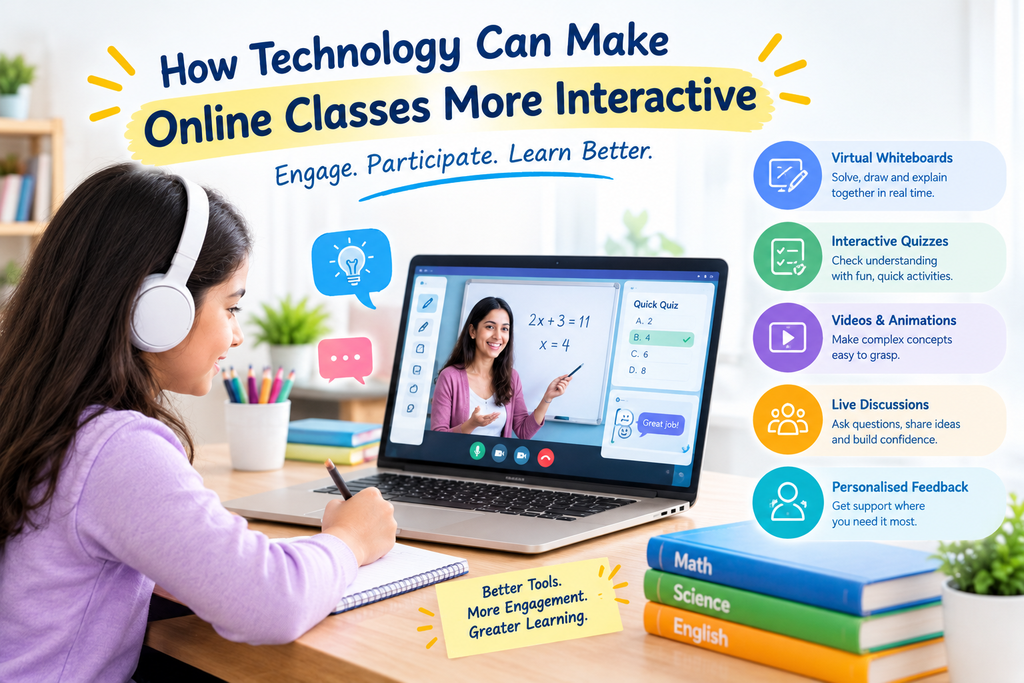
Online learning gives students access to teachers, educational resources, and lessons from almost anywhere. However, simply attending a virtual class does not always mean a student is actively learning. Children may lose concentration, hesitate to ask questions, or find it difficult to stay engaged when lessons involve only listening and reading.
This is where technology can make a meaningful difference. Interactive quizzes, digital whiteboards, educational videos, live discussions, and personalised feedback can turn online lessons into active learning experiences.
Understanding how technology can make online classes more interactive helps parents and educators choose learning methods that encourage participation, curiosity, and better understanding.
For families exploring the best online tuition class, it is important to look beyond the number of digital features. The most effective online learning experiences combine useful technology with skilled teaching, regular interaction, and activities suited to each student’s needs.
What Makes an Online Class Interactive?
An interactive online class encourages students to participate instead of simply watching or listening. Students answer questions, solve problems, share ideas, complete activities, and receive feedback during the lesson.
For example, instead of explaining a mathematical formula for the entire session, a tutor might demonstrate the method on a digital whiteboard and then ask the student to solve a similar problem. The tutor can immediately identify mistakes and explain the next step.
Interactive learning may include:
- Live questions and answers.
- Digital quizzes and polls.
- Virtual whiteboards and shared worksheets.
- Educational videos and visual demonstrations.
- Group discussions and collaborative activities.
- Practice exercises and personalised feedback.
Technology supports these activities, but the teacher’s approach determines how effectively they contribute to learning.
7 Ways Technology Can Make Online Classes More Interactive
1. Virtual Whiteboards Encourage Active Participation
Virtual whiteboards allow tutors and students to write, draw, solve equations, annotate diagrams, and work through problems together in real time.
In a Mathematics lesson, a student can demonstrate each step of a calculation while the tutor provides guidance. In Science, the tutor and student can label diagrams or illustrate a process. For language lessons, they can highlight grammar errors and improve sentence structure.
This makes the learning process more visible. Rather than guessing whether a student understands a topic, the tutor can observe how the student approaches the task.
2. Interactive Quizzes Make Learning More Engaging
Short quizzes and polls can introduce variety into online lessons. Tutors can use them at the beginning of a class to review previous topics or at the end to check understanding.
For example, after teaching fractions, a tutor might present five quick questions. The student’s answers help identify which concepts need more practice.
Quizzes can also encourage healthy motivation when students track their progress and celebrate improvements. However, they should focus on understanding rather than speed or competition alone.
3. Videos and Animations Explain Difficult Concepts
Some topics are easier to understand when students can see them in action. Educational videos, animations, simulations, and diagrams can make abstract ideas more concrete.
A Science tutor might use an animation to explain the water cycle, while a Geography lesson could include maps and visual representations of landforms. In language learning, audio clips and short videos can help students practise pronunciation and listening skills.
The key is to use multimedia with a clear learning objective. A short visual demonstration followed by questions and practice is often more useful than playing a long video without discussion.
4. Live Discussions Build Confidence
Technology makes it possible for students to communicate with tutors through video, audio, chat, and shared activities.
A good tutor can invite students to explain their reasoning, ask follow-up questions, and discuss alternative solutions. These conversations help learners practise expressing ideas clearly and asking for help when they need it.
Students who are shy about speaking in front of a large class may benefit from smaller group sessions or one-to-one lessons, where they have more opportunities to participate.
Parents comparing the best online tuition class options should consider whether lessons provide meaningful opportunities for students to speak, ask questions, and receive individual attention.
5. Personalised Learning Tools Adapt Practice to Student Needs
Students do not all learn at the same pace. Some need additional examples before moving forward, while others benefit from more challenging exercises.
Digital learning tools can support personalised practice by offering different question types, additional exercises, or feedback based on student responses. Some platforms also provide progress summaries that help tutors identify areas requiring further attention.
For example, if a student repeatedly makes mistakes in fractions, the tutor can revisit the basics and assign targeted practice before introducing more advanced calculations.
Technology can support these decisions, but tutors should interpret the results alongside classroom performance, student questions, and their own observations.
6. Collaborative Activities Encourage Teamwork
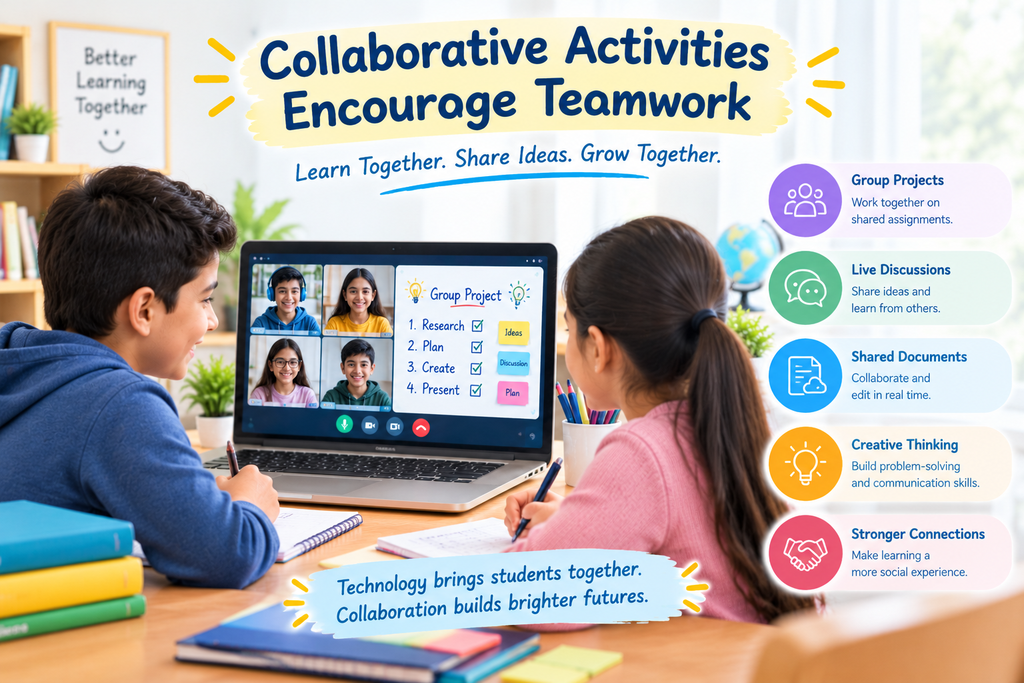
Online learning does not have to be an isolated experience. Shared documents, group tasks, collaborative presentations, and supervised breakout discussions can help students learn from one another.
For example, students studying English might work together to develop a story, while Science learners could prepare a short presentation explaining an experiment.
These activities can develop communication, creativity, and problem-solving skills. Tutors should provide clear instructions and ensure that every participant has a meaningful role.
7. Recordings and Digital Worksheets Support Revision
Students may need to revisit an explanation after a lesson, particularly when preparing for examinations or learning a challenging topic.
Where recordings are available, students can review important explanations at their own pace. Digital worksheets and guided corrections provide further opportunities to practise and understand mistakes.
GenieClasses highlights features such as customised worksheets, guided corrections, class recordings, and AI-powered learning insights to support students’ learning journeys. Parents can explore these options on the GenieClasses website.
Benefits of Interactive Online Classes for Students
When technology is used with a clear teaching plan, interactive online lessons can offer several advantages.
- Greater participation: Students have more opportunities to answer questions and demonstrate their understanding.
- Clearer explanations: Visuals, diagrams, and demonstrations can make difficult concepts easier to follow.
- Timely feedback: Tutors can identify mistakes and address misunderstandings during lessons.
- Improved confidence: Regular participation helps students become more comfortable asking questions.
- Targeted practice: Learning activities can focus on areas where a student needs additional support.
- Flexible revision: Digital resources and available class recordings can help students revisit topics.
- Stronger learning habits: Regular activities encourage students to think, practise, and reflect on their progress.
Research and guidance on educational technology emphasise that digital tools are most useful when they support sound teaching practices and purposeful interaction. Technology alone does not guarantee better learning outcomes.
For further reading, see UNESCO’s Global Education Monitoring Report on technology in education.
How Can Parents Tell Whether an Online Class Is Interactive?
Parents do not need to evaluate every technical feature to understand whether a class is engaging. They can look for signs that their child is actively involved.
Consider these questions:
- Does the tutor ask questions and encourage the child to explain answers?
- Does the child solve problems during the lesson rather than only watch demonstrations?
- Does the tutor adapt explanations when the child struggles?
- Are quizzes, worksheets, or activities connected to the lesson objectives?
- Does the tutor provide useful feedback on mistakes?
- Can the child explain what they learned after the class?
- Is the technology easy to use and suitable for the child’s age?
Families looking for the best online tuition class should prioritise qualified tutors, individual attention, relevant practice materials, and clear communication. A simple virtual classroom with excellent teaching may be more effective than a platform filled with distracting features.
How GenieClasses Can Support Interactive Online Learning
Choosing an online learning platform is an important decision for parents. Students benefit when lessons are structured, engaging, and suited to their academic goals.
GenieClasses highlights several features designed to support learning, including:
- One-to-one live sessions and group classes for different learning preferences.
- Professionally qualified tutors who guide students through academic topics.
- Customised worksheets and guided corrections to strengthen understanding.
- Class recordings that students can revisit for revision, where available.
- AI-powered learning insights that provide performance insights and session summaries.
These resources can help make online learning more organised and supportive when used effectively by tutors and students.
Parents can learn more on the About Us page or explore available learning options through the GenieClasses website.
Frequently Asked Questions (FAQs)
1. How does technology make online classes more interactive?
Technology supports interaction through virtual whiteboards, live quizzes, videos, shared worksheets, discussions, and immediate feedback. These tools encourage students to participate and apply what they learn during lessons.
2. What are the best tools for interactive online learning?
Useful tools include virtual whiteboards, quiz platforms, video demonstrations, shared documents, digital worksheets, and learning management systems. The right choice depends on the subject, student’s age, learning goals, and ease of use.
3. Can interactive online classes improve student engagement?
Interactive activities can encourage participation by giving students opportunities to answer questions, solve problems, and receive feedback. Results depend on the quality of teaching, lesson design, and the student’s individual needs.
4. How can online tutors keep students interested during lessons?
Tutors can vary their teaching methods, ask questions, use visual examples, include short activities, provide relevant practice, and invite students to explain their reasoning. Regular interaction also helps tutors identify when learners need additional support.
5. Are interactive online classes suitable for young children?
Yes, when lessons are age-appropriate, well structured, and supported by an adult when necessary. Short activities, visuals, guided practice, and regular breaks can help younger learners stay involved.
6. What should parents look for in an interactive online tuition class?
Parents should evaluate tutor qualifications, student participation, personalised explanations, practice resources, feedback, technical reliability, and communication. A demo class can help families understand the tutor’s teaching style before enrolling.
7. Can technology replace teachers in online classes?
No. Technology can support explanations, practice, and feedback, but teachers provide human understanding, encouragement, context, and personalised guidance. Effective online learning combines appropriate tools with skilled teaching.
8. How can students benefit from recorded online lessons?
Recordings allow students to revisit explanations, review difficult topics, and revise before assessments where recordings are available. Students should combine revision with practice questions to check their understanding.
Conclusion
Technology can make online classes more engaging by turning passive lessons into opportunities for participation, practice, discussion, and feedback. Virtual whiteboards, quizzes, videos, collaborative activities, and personalised learning resources can help students become more involved in their education.
However, successful online learning depends on more than digital tools. Skilled tutors, clear lesson objectives, suitable activities, and regular feedback remain essential.
When comparing the best online tuition class options, parents should look for a learning experience that encourages students to ask questions, solve problems independently, and build confidence over time.
Learn more about our teaching approach, learning resources, and commitment to students by visiting our About Us page. If you have questions or need help choosing the right online learning support for your child, please visit our Contact Us page to connect with the GenieClasses team.