
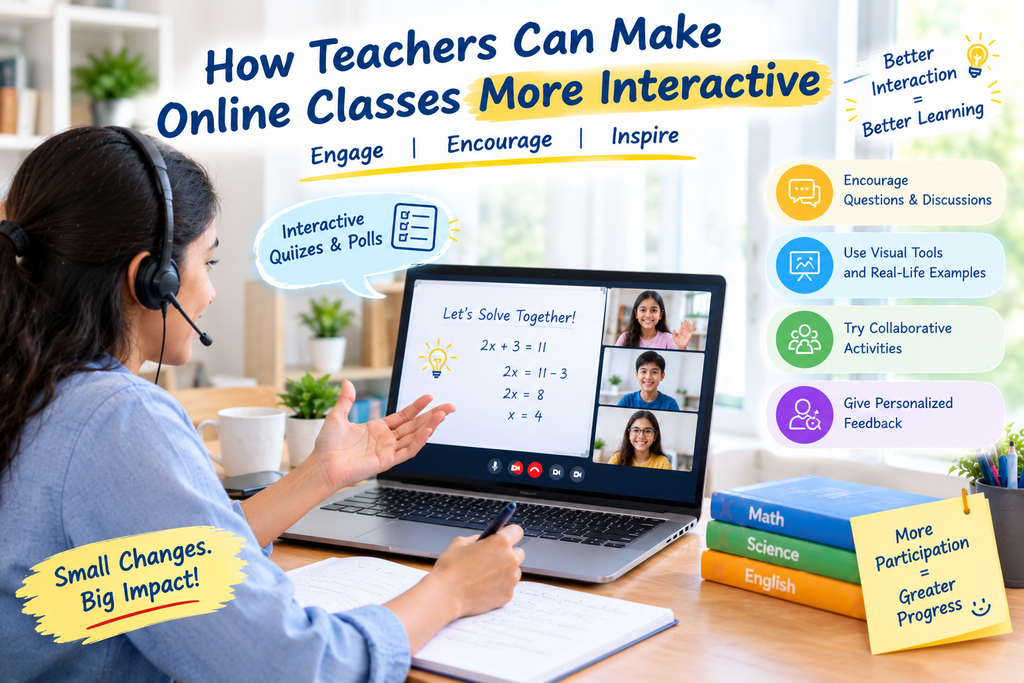
Online learning has made education more flexible and accessible for students. However, keeping students attentive and actively involved during virtual lessons can be challenging. Without meaningful interaction, students may lose focus, hesitate to ask questions, or struggle to understand difficult concepts.
Teachers can address these challenges by making lessons more engaging, encouraging participation, and creating opportunities for students to learn by doing. From live quizzes and interactive presentations to group discussions and real-world examples, small changes can make a significant difference to the learning experience.
An effective online tutor does more than explain concepts through a screen. They encourage students to ask questions, share ideas, solve problems, and apply what they learn. These strategies can help teachers create a more supportive and productive virtual classroom.
Quick Answer: How Can Teachers Make Online Classes More Interactive?
Teachers can make online classes more interactive by asking questions throughout lessons, using live polls and quizzes, encouraging discussions, incorporating visual learning materials, organizing collaborative activities, and providing regular feedback.
They should also adapt lessons to students’ learning levels, include short activities between explanations, and create a comfortable environment where students feel confident participating.
The goal is to move beyond one-way teaching and help students become active participants in their own learning.
Key Takeaways
- Use live quizzes, polls, and short activities to maintain attention.
- Encourage students to ask questions and explain their thinking.
- Incorporate images, diagrams, videos, and practical examples.
- Include collaborative tasks and problem-solving exercises.
- Personalize lessons according to students’ learning needs.
- Give timely feedback and recognize student progress.
- Use digital tools to support learning rather than distract from it.
1. Start Every Class With an Engaging Activity
The first few minutes of an online class can influence how actively students participate throughout the lesson. Instead of immediately beginning a long explanation, teachers can introduce a short activity that captures students’ attention.
For example, a Mathematics teacher could present a simple puzzle, while a Science teacher might ask students to predict the outcome of an experiment. An English teacher could begin with a vocabulary challenge or a question about a familiar story.
These activities encourage students to think from the beginning and help teachers understand what learners already know.
Teachers can try:
- A quick question related to the previous lesson.
- A short quiz with three to five questions.
- A picture-based guessing activity.
- A real-life problem connected to the topic.
- A brief discussion about what students want to learn.
A strong opening makes lessons feel more welcoming and gives students an immediate reason to participate.
2. Use Live Quizzes, Polls, and Interactive Questions
Quizzes and polls turn passive listening into active learning. They also allow teachers to check understanding without waiting until the end of the lesson.
For example, after explaining fractions, a teacher can display a question and ask students to select the correct answer. In a History lesson, students might vote on which event they believe had the greatest impact and explain their reasoning.
Useful interactive activities include:
- Multiple-choice questions.
- True-or-false challenges.
- Quick revision quizzes.
- Matching exercises.
- Short-answer questions.
- Polls that collect student opinions.
Teachers should discuss the answers after each activity rather than focusing only on scores. If several students choose the wrong answer, the teacher can revisit the concept and explain it using another example.
This approach helps identify misunderstandings early and makes assessment a regular part of learning.
3. Encourage Students to Ask Questions and Share Ideas
Interaction should involve more than answering questions prepared by the teacher. Students also need opportunities to ask questions, express opinions, and explain their understanding.
A supportive classroom encourages learners to speak without worrying about making mistakes. Teachers can establish simple ground rules, such as listening respectfully, allowing others to finish speaking, and treating mistakes as opportunities to learn.
An online tutor can encourage participation by asking open-ended questions such as:
- Why do you think this answer is correct?
- Can you explain this concept in your own words?
- Is there another way to solve this problem?
- Can you connect this topic to something you see in everyday life?
Teachers should allow enough thinking time before expecting an answer. They can also invite students to type responses in the chat or write their ideas on a shared digital board.
These techniques support communication, independent thinking, and confidence.
4. Make Lessons More Visual With Digital Learning Tools
Visual learning materials can make complicated information easier to understand. They are particularly helpful when teachers need to explain processes, relationships, structures, or abstract concepts.
Instead of relying entirely on spoken explanations, teachers can use diagrams, slides, short educational videos, digital whiteboards, and annotated images.
For example:
- Mathematics: Use a digital whiteboard to demonstrate each step of an equation.
- Science: Display diagrams of the human body or the water cycle.
- English: Highlight sentence structures, grammar patterns, and vocabulary.
- Geography: Use maps and labelled illustrations to explain locations.
- History: Present timelines to show the sequence of important events.
Teachers should choose visuals that directly support the learning objective. Too many animations, unrelated images, or complicated slides can distract students instead of helping them.
The most effective visual tools simplify explanations and give learners something meaningful to observe, discuss, or practise.
5. Include Group Activities and Collaborative Learning
Students can learn from one another when lessons include structured opportunities for collaboration. Even in virtual classrooms, teachers can organize activities that encourage teamwork and shared problem-solving.
Depending on the platform and class size, students can work in small groups, contribute to shared documents, or take turns presenting their findings.
Examples include:
- Solving a Mathematics problem as a team.
- Creating a short presentation about a Science topic.
- Discussing the characters and themes in a story.
- Preparing a timeline of historical events.
- Working together to solve a subject-related challenge.
Teachers should give each activity a clear goal and explain what students need to produce by the end. Assigning simple roles, such as note-taker, presenter, or researcher, can help distribute participation.
Group activities should also include individual accountability so that every learner contributes rather than relying on one student to complete the work.
6. Connect Lessons With Real-Life Examples
Students often become more interested in a topic when they understand how it relates to their everyday experiences.
Teachers can make lessons more interactive by connecting academic concepts to practical situations. This helps students understand not only what they are learning but also why it matters.
For instance, a Mathematics teacher can explain percentages through shopping discounts or budgeting. A Science teacher can discuss energy through household appliances, while an English teacher can ask students to write a review of a book, film, or familiar experience.
Teachers can also encourage learners to find examples independently and share them during class.
Real-world activities make lessons more relevant, encourage curiosity, and help students apply knowledge beyond the virtual classroom.
7. Personalize Lessons to Match Students’ Learning Needs
Students may differ in their prior knowledge, learning pace, confidence, and preferred ways of understanding a topic. Using the same activity for everyone may not provide the right level of challenge or support.
Teachers can make online classes more interactive by adjusting questions, examples, and practice tasks to match individual needs.
For example, students who are still developing foundational skills may benefit from guided exercises and additional examples. Students who understand the basics can work on more challenging problems or extension activities.
Useful personalization strategies include:
- Checking students’ understanding before introducing a new concept.
- Offering practice questions at different difficulty levels.
- Giving students choices between suitable learning activities.
- Revisiting topics that cause repeated confusion.
- Providing individual feedback after assessments.
The best online tuition class should support active participation while giving learners the guidance they need to progress at a suitable pace.
Personalization does not require a separate lesson for every student. Even small adjustments can help more learners participate meaningfully.
8. Give Regular Feedback and Celebrate Progress
Students need to understand what they are doing well and what they should improve. Regular feedback helps them recognize mistakes, correct misunderstandings, and develop better learning habits.
Teachers can provide feedback during the lesson instead of waiting until the next assessment. A brief explanation after a question, a comment on a written answer, or a suggestion for solving a problem can help students make immediate progress.
Teachers can also celebrate improvements by recognizing:
- Clear explanations.
- Consistent participation.
- Better problem-solving strategies.
- Thoughtful questions.
- Progress in difficult topics.
- Effort and persistence.
Praise should be specific and genuine. For example, saying, “You explained each step clearly,” gives a student more useful information than simply saying, “Good job.”
An online tutor who combines constructive feedback with encouragement can help students feel supported while developing greater independence.
9. Break Long Lessons Into Short, Interactive Segments
Long periods of uninterrupted explanation can make it difficult for students to maintain concentration. Teachers can improve engagement by dividing lessons into manageable sections and including short activities between them.
A lesson might follow this structure:
| Lesson Stage | Suggested Activity |
|---|---|
| Introduction | Ask a warm-up question |
| Concept explanation | Use a short presentation or demonstration |
| Understanding check | Conduct a quick poll or quiz |
| Guided practice | Solve a problem together |
| Independent activity | Let students complete a task |
| Lesson review | Ask students to summarize key points |
The exact timing should depend on students’ ages, the subject, and the complexity of the topic.
Teachers should also leave time for questions and avoid adding activities simply to keep students busy. Each segment should have a clear learning purpose.
10. Use Technology to Support Meaningful Interaction
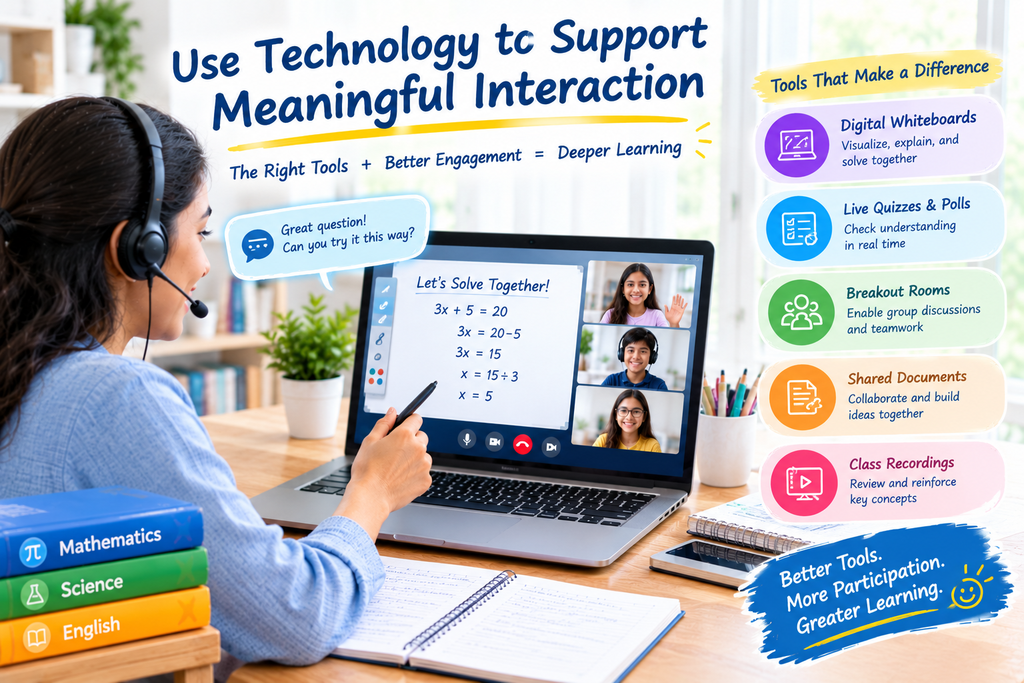
Digital tools can make virtual lessons more engaging, but teachers should select them according to their teaching goals.
Depending on the available platform, useful tools may include shared whiteboards, online quizzes, collaborative documents, digital flashcards, and class recordings.
Teachers can also use learning summaries and performance insights, when available, to identify topics that may need further explanation or revision.
GenieClasses highlights interactive online learning, customized worksheets, guided corrections, class recordings, and AI-powered learning insights as part of its learning support. These resources can complement teacher-led instruction and help students revisit important concepts.
Technology works best when it supports a clear learning objective. Teachers should also consider accessibility, student privacy, internet reliability, and whether every learner can use the chosen tool comfortably.
How Can GenieClasses Support Interactive Online Learning?
GenieClasses provides online learning options that include one-on-one live sessions and group classes. Its platform emphasizes qualified educators, interactive learning, customized worksheets, guided corrections, and access to class recordings for revision.
These features can support a learning environment in which students have opportunities to practise concepts, review explanations, and receive guidance.
Parents and students can explore the GenieClasses website to learn about available subjects and tutoring options. For more information about the platform, visit the About Us page or contact the team through the Contact Us page.
For related guidance, read What Makes a Good Online Tutor for School Students? and What Parents Should Expect From a One-on-One Online Class.
Frequently Asked Questions
1. How can teachers make online classes more interactive?
Teachers can use live quizzes, polls, discussions, digital whiteboards, collaborative activities, real-life examples, and regular questions. These strategies encourage students to participate rather than simply listen.
2. Which activities are best for student engagement in online classes?
Short quizzes, problem-solving challenges, group discussions, visual demonstrations, vocabulary games, and student presentations can support engagement. The best activity depends on the subject, age group, and learning objective.
3. How can teachers keep students focused during virtual lessons?
Teachers can break lessons into shorter segments, vary their teaching methods, include regular participation opportunities, and connect concepts with real-world situations. Clear instructions and suitable breaks can also help.
4. How can teachers encourage shy students to participate online?
Teachers can begin with simple questions, allow students to respond through chat, provide thinking time, and use small-group activities where appropriate. A respectful environment helps students feel more comfortable sharing their ideas.
5. Why are interactive online classes important?
Interactive classes give students opportunities to practise, ask questions, receive feedback, and check their understanding. They can also help teachers identify misconceptions and adjust explanations when necessary.
6. What digital tools can teachers use for online classes?
Depending on the platform, teachers can use digital whiteboards, online polls, quiz tools, shared documents, visual presentations, and digital flashcards. Tools should be selected based on learning goals, accessibility, and student needs.
7. How can teachers check whether students understand an online lesson?
Teachers can ask students to explain concepts in their own words, solve practice problems, answer short quizzes, or summarize the lesson. Reviewing responses helps identify topics that need further explanation.
8. Can personalized teaching make online classes more engaging?
Yes. Adjusting explanations, practice tasks, and question difficulty to students’ learning needs can help them participate more confidently. Personalized support can also make lessons more relevant and manageable.
Conclusion
Making online classes more interactive requires thoughtful planning, consistent communication, and a focus on student participation. Teachers can improve the learning experience by combining clear explanations with quizzes, discussions, visual resources, collaborative activities, real-world examples, and regular feedback.
They should also adapt their methods to students’ needs and use technology to support learning rather than overwhelm the lesson with unnecessary tools.
An effective online tutor creates opportunities for students to think, ask questions, practise skills, and reflect on their progress. With these strategies, teachers can build a more engaging virtual classroom that encourages curiosity, understanding, and confidence.
The aim is not simply to make online lessons entertaining. It is to help students participate meaningfully and develop the knowledge and skills they need for continued learning.